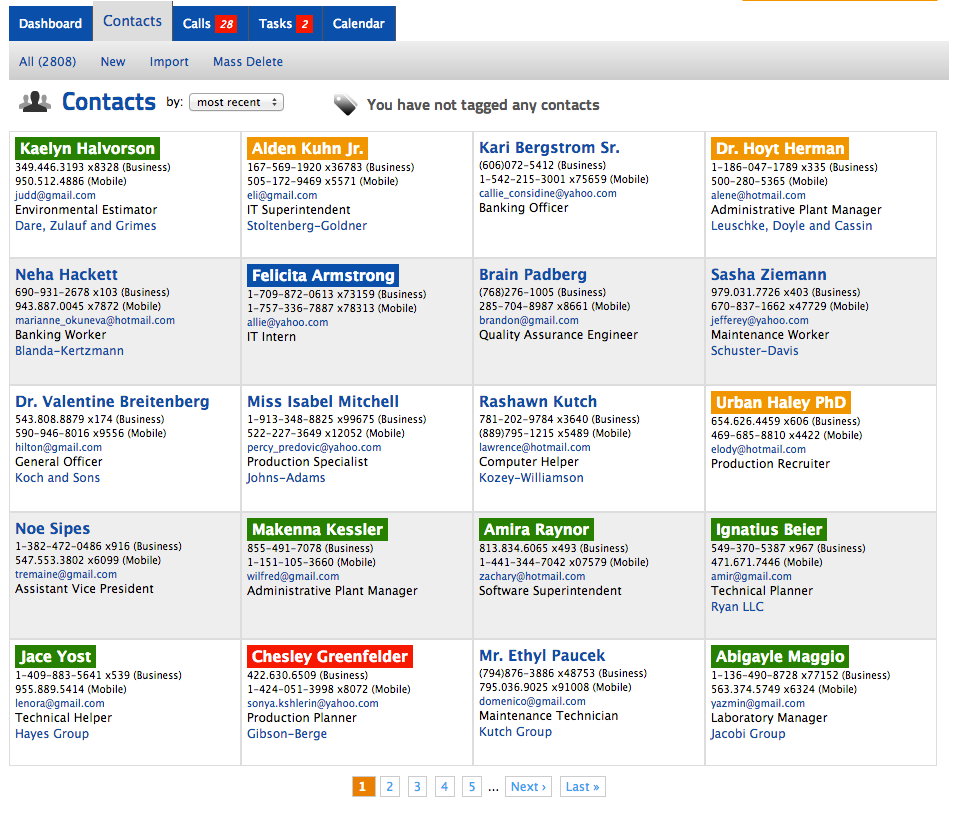
The ContactHero Blog
Official news, tips and tricks about ContactHero.
Updates Summer 2017
Some new updates published this June and July 2017 include:
- Search now includes Notes
- Send emails via Gmail by just linking your account
- CSV/Excel contact import
- Clear and remove tags from contacts
- Various performance improvements and bug fixes
Enjoy!
Sending emails tracked in history
Here is how you can send outbound emails from ContactHero tracked in contact history.
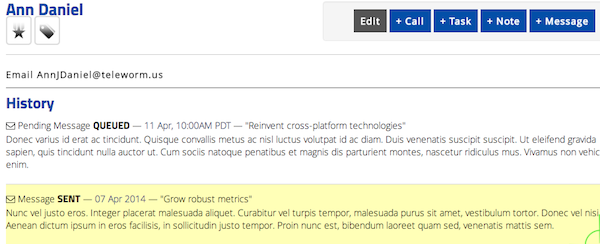
From your account page, configure your outbound email server. Below is an example for how to configure gmail (see notes below). Then go to any contact on contacthero.com and send them a message (+ Message). A copy of the message should be saved in ContactHero history plus it should go out in this case Gmail or whichever email server you have set. Note you can also set a time to send a message later in which case the message will show as "Pending Message QUEUED."
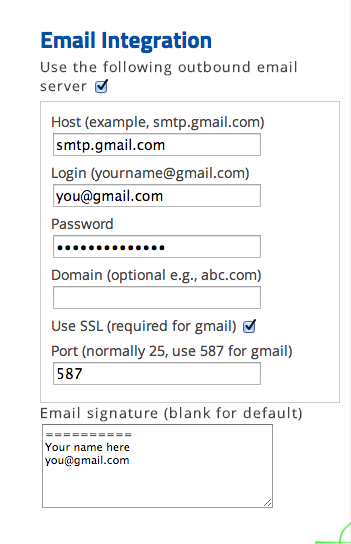
Gmail specific notes
The first time you do this and ContactHero signs into your gmail account, you may get an email from Google saying "Suspicious sign in prevented." In this case, you will need to go directly to https://mail.google.com and click on this link at the top of the page acknowledge that this was you, otherwise emails will not be able to go out from ContactHero.
Another alternative for gmail is to create an application-specific password (see link) for ContactHero. This is more secure and you do not need to enter your gmail password into ContactHero.
Contact Us if you have any questions.
ContactHero.com Trailer
1 minute quick tour of ContactHero.com website
ContactHero Pebble Trailer
Don't miss a call again. See who you need to call at a glance. Using www.contacthero.com you can schedule calls with reminder alarms linked to contacts. Works with iOS and Android.
Google Calendar Updated
We just completed some work to link better with Google Calendar. You can easily create push your calls, one by one or all that you create, into Google Calendar as meetings. Meetings created in Google calendar have a link back to the original call on contacthero.com. Finally, any meetings in Google Calendar will show in your Calendar on Contacthero.com.
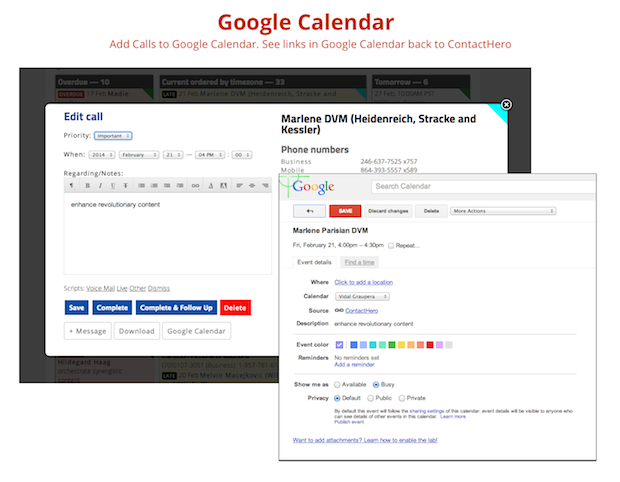
To get started, either sign up for an account using your Google account, or if you already have an account visit your account page and click "Linking to Your Google Account"
Give it a try!
ContactHero for Pebble Smartwatch
Don't miss a call again. See who you need to call at a glance on your wrist using your Pebble smartwatch. Works with iOS and Android.
Syncs with your list of calls on contacthero.com. You can see each call and also mark calls as complete.
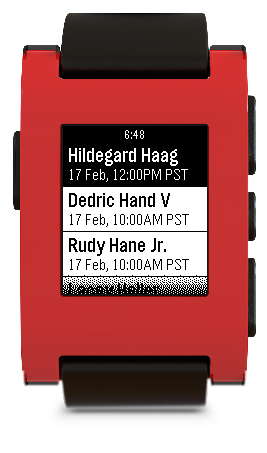 Available on the Pebble App Store
or
Direct link
Available on the Pebble App Store
or
Direct link
New Feature Calls by Timezone
Now you can quickly see all your calls visually by timezone. Your list of current calls is also ordered by timezone so you can immediately see which customers you should call first during the day!

The list of colors is as follows:
| Timezone | UTC offset | Color |
|---|---|---|
| Atlantic | -4 | |
| Eastern | -5 | |
| Central | -6 | |
| Mountain | -7 | |
| Pacific | -8 | |
| Alaska | -9 | |
| Hawaii | -10 |
The timezone is inferred from the area code of the phone number of the contact that is linked to call. Calls to 800; 866; 877; and 888 always show in your timezone. This works only on calls logged to US and Canadian phone numbers.
ContactHero 2.0 for iOS is out
Version 2 is completely re-written from the ground up for iOS 7.

FEATURES
- Schedule calls with reminders linked to contacts.
- Attach multiple timestamped notes to each contact
- Works with the address book already on your phone.
- Adds additional fields and flags to contacts to organize them
- Color code contacts (by personality type)
- Cloud sync with push notifications is available for in app purchase.
https://itunes.apple.com/us/app/contacthero-2/id706682888?ls=1&mt=8
Version 1.5 Now Available at iTunes AppStore
What's New in Version 1.5- Compatible with iPhone 5
- Now you can set reminders for calls
- Bug fixes
Contact Personality Types with Colors
Now you can color code your contacts with 1 of 4 different personality types. Use the HERO identifiers is to help you to remember the best way to communicate with people.